Tired of your favorite streaming service’s algorithms serving you the same handful of artists? Do you yearn for truly unpredictable musical journeys or need a spark for your next creative project? Then it’s time to take control. Building Your Own Random Album Generator isn’t just a coding exercise; it’s your personalized key to unlocking fresh sounds, rediscovering forgotten gems, or even inventing entirely new musical universes.
Imagine hitting a button and instantly being presented with an album you’ve never heard, or a fictional concept album complete with tracklist ideas. This guide will walk you through the why, what, and how of crafting your very own random album generator, transforming passive listening into an active adventure.
At a Glance: What You’ll Discover
- Why Build Your Own? Beyond existing tools, understand the power of customization and creative freedom.
- Two Paths to Randomness: Explore generators for music discovery versus creative concept generation.
- The Core Ingredients: Learn about data sources, randomization logic, and output methods.
- Step-by-Step Construction: Practical guidance on gathering data, building the engine, and presenting results.
- Elevate Your Generator: Ideas for advanced features like filtering, "skip" functions, and AI integration.
- Common Pitfalls: Tips to avoid typical challenges like API limits and scope creep.
- Tools & Technologies: A brief overview of what you might use.
Why Go DIY When You Can Just Hit a Button?
Sure, there are fantastic tools out there, like Chosic's random album generator, which can instantly serve up real music from diverse genres and decades, linking directly to Spotify. And if you're a creator, WriteCream's Random Album Generator can conjure fictional album titles, cover art concepts, and tracklists with a single click. These are excellent starting points.
But "off-the-shelf" often means "one-size-fits-all." Building your own empowers you with unparalleled control and a deeper understanding of music discovery. You can:
- Eliminate Your Own Biases (and the Algorithms'): Algorithms, while smart, are designed to keep you engaged, often by reinforcing existing preferences. Your own generator can truly break free, introducing you to genres, artists, or even entire decades you've consciously or unconsciously ignored.
- Curate Your Universe: Maybe you only want to discover albums from independent labels, obscure 70s funk, or classical compositions from specific periods. Perhaps you want to generate fictional album concepts based on very specific moods or themes for a game, a story, or just for fun. You define the rules.
- Learn and Grow: The process of building a generator is an invaluable opportunity to learn about data handling, API integration, and basic programming logic. It's a tangible project that yields immediate, enjoyable results.
- Integrate with Your Ecosystem: Want your generator to pull from your personal music library, suggest albums based on your mood, or even trigger lights in your room when a new genre is discovered? A custom build can do that.
- Creative Freedom for Artists & Writers: For those in creative fields, a bespoke generator can be a constant source of inspiration, churning out unique album concepts, song titles, or lyrical themes tailored precisely to your needs, going far beyond what a generic tool might offer.
It’s about moving from being a passive consumer to an active architect of your musical (or creative) journey.
Understanding the "Generator" Landscape: Discovery vs. Concept
Before you start, clarify your primary goal. The term "random album generator" can refer to two distinct, though equally fascinating, categories:
1. The Music Discovery Engine
This type of generator aims to introduce you to actual albums by real artists. Think of it as a personal, unbiased DJ that digs through vast musical archives to present you with something new or forgotten.
- Purpose: Expanding your musical horizons, rediscovering classics, finding niche genres.
- Data Source: Relies on databases of existing music, typically accessed via APIs from streaming services (like Spotify, Last.fm) or music metadata sites (like Discogs), or even your local music collection.
- Output: Presents artist names, album titles, cover art, and usually provides links to listen to the album on a platform like Spotify.
2. The Creative Concept Forge
This generator doesn't look for existing music. Instead, it invents fictional album ideas. It's a brainstorming partner for musicians, writers, game designers, or anyone needing a creative spark.
- Purpose: Inspiring new music projects, crafting fictional band lore, generating story prompts, or simply for amusement.
- Data Source: Employs algorithms, AI, or carefully curated lists of words, themes, and styles to combine into novel concepts. It might draw from common musical tropes, moods, or even abstract ideas.
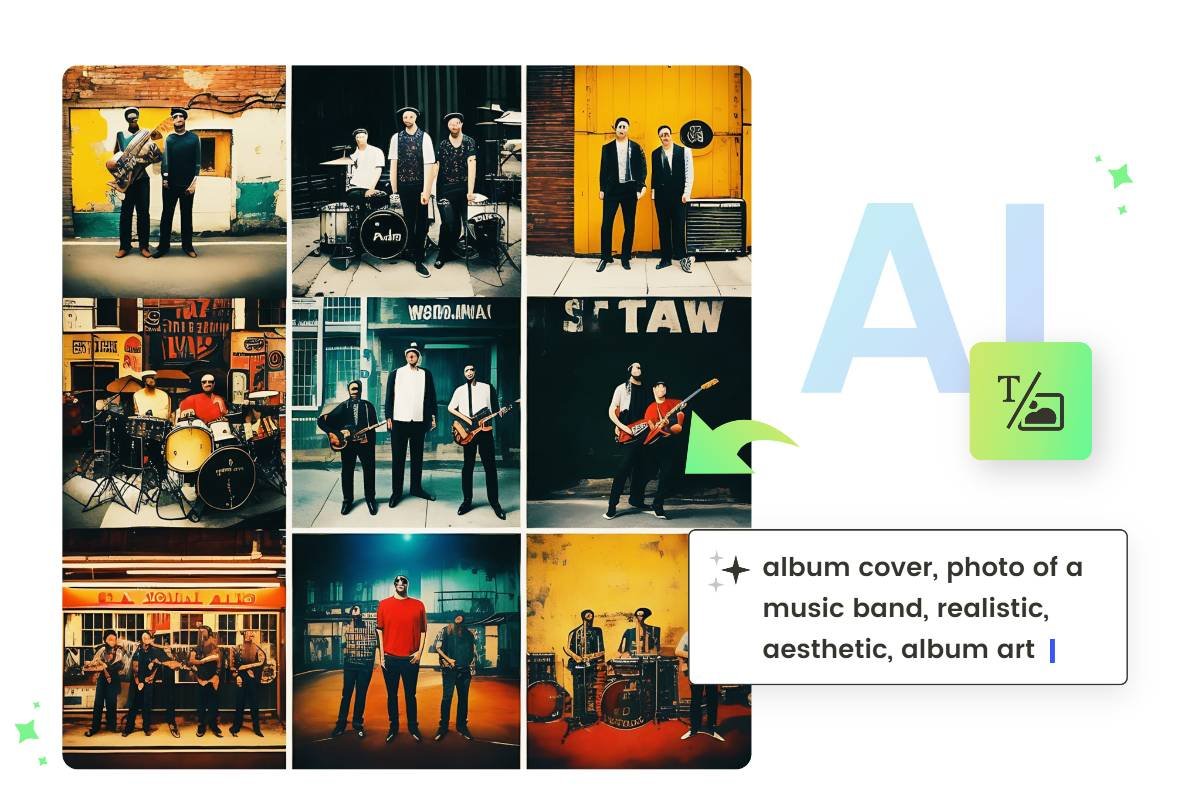
- Output: Generates fictional album titles, potential tracklists, genre suggestions, mood descriptors, and even cover art ideas (not actual images, unless integrated with an image generation AI).
This guide primarily focuses on the principles of both, with a lean towards practical implementation for music discovery, as it often forms the basis for concept generation as well.
The Core Ingredients: What Makes a Generator Tick?
Regardless of whether you're building for discovery or concept, every random album generator relies on three fundamental components:
- The Data Source: This is where your generator gets its "ideas." It could be a simple list of album titles, a complex database of millions of songs, or an AI model trained on musical concepts. The quality and breadth of your data directly impact the richness of your generator's output.
- The Randomization Logic: This is the "brain" of your generator, the mechanism that selects an item (or a combination of items) from your data source in an unpredictable way. It can be as simple as picking a random number, or as sophisticated as weighted selections based on user preferences.
- The Output Mechanism: How does your generator present its findings to you? It could be a simple text display in a command-line interface, a visually rich web page with album art and links, or even an audio snippet.
Understanding these three pillars is crucial for designing and integrating API basics into your own generator.
Step 1: Defining Your Vision – What Kind of Album Generator Do You Need?
Before you write a single line of code or compile a list, clearly define your project. This prevents scope creep and ensures your efforts are focused.
A. Your Generator's Goal: Discovery or Concept?
- Music Discovery: Do you want to find real albums? If so, what kind? Specific genres? Obscure artists? Anything and everything?
- Creative Concept: Are you generating fictional ideas? For what purpose? What elements do you need (title, genre, mood, tracklist)?
B. Scope: Simple Start or Feature-Rich Dream?
- Minimal Viable Product (MVP): Start with the absolute basics. A simple list and random selection. Get it working, then iterate.
- Advanced Features: Do you envision filters (genre, decade), "skip" buttons, links to streaming services, personalized recommendations, or AI integration? Plan these for later phases.
C. Data Source: Where Will the Information Come From?
This is arguably the most critical decision.
- Manual List (CSV/JSON): Easiest to start. You curate a list of albums, artists, or words/themes yourself. Great for niche interests or creative concepts.
- Pros: Full control, no API limits, learn data structuring.
- Cons: Labor-intensive, limited scale.
- Music API (Spotify, Last.fm, Discogs): Access vast catalogs of real music. Requires some programming knowledge and API keys.
- Pros: Huge databases, metadata (genres, release dates, popularity), cover art.
- Cons: Requires API registration, rate limits, terms of service to adhere to, learning curve for API requests.
- Local Music Files (Metadata): If you have a large personal collection, you can scan its metadata (ID3 tags) to create your data source.
- Pros: No internet required after initial setup, uses your existing library.
- Cons: Requires tools to read metadata, limited to your collection, inconsistent tag quality.
- AI/LLM (Large Language Model): For sophisticated creative concept generation. You can prompt an AI (like GPT-4) to generate album ideas, tracklists, or even lyrical themes.
- Pros: Highly creative, can generate novel ideas, no need for pre-existing lists.
- Cons: Requires strong prompting skills, can be "hallucinatory" (make things up), cost implications, ethical considerations.
D. Platform: How Will You Access Your Generator?
- Command-Line Interface (CLI): Simplest to build. Run a script, get text output. Good for learning.
- Web Application: Accessible from any browser. Can have a nice user interface with album art and interactive elements. More complex to build (front-end and back-end).
- Desktop Application: Dedicated app for your computer. More complex development, platform-specific.
- Spreadsheet (with basic functions): Believe it or not, for very simple list-based generators, a spreadsheet can work with basic random functions.
For most people, a simple Python script for a CLI or a basic web app (using Python's Flask/Django or JavaScript's Node.js/React) offers the best balance of power and approachability. A foundational understanding of Python scripting for data is incredibly useful here.
Step 2: Sourcing Your Sonic Universe – Where Does the Music Come From?
Let's assume you're building a music discovery generator first, as it covers many core data handling principles.
Option A: The Manual List (Beginner-Friendly)
- Choose Your Data Points: At a minimum, you'll need
Artist NameandAlbum Title. You might addGenre,Release Year, andSpotify Link(if you manually find them). - Create Your List:
- Spreadsheet (CSV): Easy to read and edit. Each row is an album, each column is a data point.
Artist,Album,Genre,Year,Spotify Link
The Beatles,Abbey Road,Rock,1969,https://open.spotify.com/album/0ETFjACtuP2ADo6LFhL6HN
Miles Davis,Kind of Blue,Jazz,1959,https://open.spotify.com/album/1RDQf0zQyHBLmAIRbV2U9W
Björk,Homogenic,Electronic,1997,https://open.spotify.com/album/3VzJ3eXzFm0qS0pD0gXgYy - JSON File: A structured text format that's easy for programs to read.
json
[
{"artist": "The Beatles", "album": "Abbey Road", "genre": "Rock", "year": 1969, "spotify_link": "..." },
{"artist": "Miles Davis", "album": "Kind of Blue", "genre": "Jazz", "year": 1959, "spotify_link": "..." }
]
- Populate It: Start small, perhaps 50-100 albums that interest you. You can grow this over time. For creative prompt generators, your list might contain adjectives, nouns, moods, and musical styles.
Option B: Leveraging Music APIs (Intermediate)
This is where the real power of discovery lies. We'll use Spotify as a primary example, but Last.fm, Discogs, and MusicBrainz also offer excellent APIs.
- Register for Developer Access: Go to the Spotify Developer Dashboard, create an account, and register an application to get your
Client IDandClient Secret. These are your keys to accessing Spotify's data. - Understand the API: Explore Spotify's Web API documentation. You'll primarily be interested in endpoints for:
- Searching: To find specific artists, albums, or tracks.
- Browsing: To get new releases, featured playlists, or recommendations based on seeds (artists, tracks, genres).
- Artist/Album Details: To retrieve metadata like genres, release dates, and (crucially) album cover art.
- Choose Your Strategy:
- Seed-Based Randomness: Pick a random popular artist, then ask the API for "related artists" or "artist's albums." From those results, pick another random album. This creates a chain of discovery.
- Genre-Based Exploration: Use Spotify's list of available genres. Pick a random genre, then search for albums within that genre.
- "New Release" Randomizer: Periodically fetch a list of new album releases and pick one at random.
- Global Search with Random Offset: Search for a very broad term (e.g., "music") and use pagination with a random offset to grab albums deep within the search results.
- Implement in Code: Use a programming language like Python with a library like
requests(for API calls) or a dedicated Spotify API wrapper (e.g.,spotipy).
python
Simplified Python example (concept, not full working code)
import spotipy
from spotipy.oauth2 import SpotifyClientCredentials
import random
Your Spotify API credentials
CLIENT_ID = 'YOUR_CLIENT_ID'
CLIENT_SECRET = 'YOUR_CLIENT_SECRET'
sp = spotipy.Spotify(auth_manager=SpotifyClientCredentials(client_id=CLIENT_ID,
client_secret=CLIENT_SECRET))
def get_random_album_by_genre(genre_name):
try:
Search for tracks within a genre, then get album info
This is a simplified approach; getting random albums from a genre
requires more complex filtering/paging logic.
results = sp.search(q=f'genre:"{genre_name}"', type='album', limit=50) # Limit to 50 results
albums = [item for item in results['albums']['items'] if item['album_type'] == 'album']
if albums:
random_album = random.choice(albums)
artist = random_album['artists'][0]['name']
album_title = random_album['name']
album_url = random_album['external_urls']['spotify']
cover_art_url = random_album['images'][0]['url'] if random_album['images'] else None
return {
"artist": artist,
"album": album_title,
"url": album_url,
"cover_art": cover_art_url
}
return None
except Exception as e:
print(f"Error fetching album: {e}")
return None
Example usage:
random_genre = random.choice(['rock', 'jazz', 'electronic', 'hip hop'])
album_info = get_random_album_by_genre(random_genre)
if album_info:
print(f"Artist: {album_info['artist']}")
print(f"Album: {album_info['album']}")
print(f"Listen: {album_info['url']}")
print(f"Cover: {album_info['cover_art']}")
Step 3: Crafting the Randomization Engine – The Heart of Discovery
Once you have your data source ready, you need the logic to pick an album randomly.
A. Basic Random Selection
The simplest approach is to pick one item uniformly at random from your entire list.
- For Manual Lists:
- Read your CSV or JSON into a list of dictionaries/objects.
- Use your language's random choice function (e.g.,
random.choice()in Python,Math.random()with array indexing in JavaScript). - For API-Sourced Data:
- Fetch a set of results (e.g., 50 albums from a specific query).
- Randomly select one from those results.
B. Adding Filters for Controlled Randomness
True randomness can sometimes be overwhelming. Filters allow you to narrow down the pool before making a selection.
- Genre Filter: Only choose albums tagged with "Jazz" or "Metal."
- Decade/Year Filter: Limit choices to albums released between 1980 and 1989.
- Artist/Label Filter: Only pick albums from a specific artist or a list of indie labels.
- Mood Filter: (More complex, often relies on pre-tagged data or natural language processing).
To implement filters: First, filter your data source (list or API results) based on user criteria. Then, apply basic random selection to the filtered list.
C. Weighted Randomness (Advanced)
Sometimes you want certain types of albums to appear more often than others, without explicitly excluding anything.
- Example: You love indie rock but want to dip your toes into classical. You could weight indie rock to appear 70% of the time, and classical 30%.
- Implementation: Assign a "weight" to each item or category in your data. Then, use a weighted random selection algorithm (many libraries have this built-in, e.g.,
random.choicesin Python).
Step 4: Bringing Your Discoveries to Life – The User Interface
How you present the chosen album is key to the experience.
A. Command-Line Output (Simple & Effective)
For CLI tools, a clean text output is sufficient.
--- Your Random Album Discovery ---
Artist: Parliament
Album: Mothership Connection
Genre: Funk
Year: 1975
Listen: https://open.spotify.com/album/4c6MaPq8Jt1o8yvS5tV4lG
Cover: [Link to image]
B. Web Interface (Engaging & Interactive)
This offers the best user experience.
- Display Album Art: Fetch the
cover_art_urlfrom your data source (especially APIs) and display it prominently. - Direct Links: Provide clickable links to Spotify, YouTube, or your music player of choice.
- Metadata: Show artist, album title, genre, year, and any other relevant information.
- "New Album" Button: A simple button to trigger the randomization process again.
- Filtering Options: Dropdowns or input fields for users to select genres, decades, or other criteria.
Building a simple web interface often involves a backend (like Python's Flask or Node.js) to handle the data and randomization, and a frontend (HTML, CSS, JavaScript) to display it beautifully.
Beyond the Basics: Elevating Your Generator with Advanced Features
Once you have a working generator, consider these enhancements to make it even more powerful and enjoyable:
- "Skip" Functionality: Allow users to quickly discard a suggestion and generate a new one without explicitly applying new filters.
- "Love/Hate" Feedback: Let users mark albums they liked or disliked. Use this feedback to influence future recommendations (e.g., reduce the likelihood of showing disliked artists/genres, or subtly boost similar ones). This leans into personalized new music discovery strategies.
- Exclusion Lists: Users can explicitly add artists or albums they never want to see again.
- Mood/Vibe Generation: For creative concept generators, integrate with more sophisticated natural language processing or pre-tag albums with emotional descriptors. For music discovery, you could leverage Spotify's "audio features" (danceability, energy, valence) to recommend based on mood.
- AI-Powered Concept Generation: Instead of just picking from lists, integrate with a large language model (LLM) like GPT-4. You could feed it a genre, a mood, and a few keywords, and ask it to generate a unique album title, a brief concept description, and a 10-song tracklist. This is what tools like WriteCream excel at.
- Local File Integration: If your primary data source is local, allow the generator to open the chosen album directly in your preferred desktop music player.
- Community Features: Allow users to share their discoveries, contribute to a shared list of albums, or rate suggestions.
- "Discovery History": Keep a log of all the albums generated, so users can revisit interesting finds.
Navigating the Treacherous Tapes: Common Pitfalls to Sidestep
Building your own tool is rewarding, but watch out for these common stumbling blocks:
- API Rate Limits: Music APIs often have limits on how many requests you can make in a given timeframe. Design your code to respect these limits, perhaps by caching results or pausing between requests.
- Data Quality Issues: If using manual lists or local files, inconsistent naming, missing metadata, or incorrect genres can lead to poor recommendations. Be prepared to clean your data.
- Scope Creep: It's easy to get excited and want to build everything at once. Start with your MVP, get it working reliably, and then add features incrementally.
- Dependency Management: If using various libraries and APIs, keep track of your project's dependencies to ensure it remains runnable and maintainable.
- Security (for Web Apps): If you build a web application, be mindful of basic security practices, especially if users are interacting with it or if you're handling API keys on the server side. Never expose your
Client Secretin client-side code. - Ethical Considerations (for AI): If using AI for concept generation, be aware of potential biases in the training data, ensure you're not inadvertently plagiarizing, and be transparent if the output is AI-generated.
Your Toolkit: Technologies and Resources
You don't need to master everything, but here are some common tools you might encounter:
- Programming Languages:
- Python: Excellent for scripting, data processing, API interactions, and basic web development (Flask, Django). Highly recommended for beginners.
- JavaScript: Essential for web frontends (React, Vue, Angular) and can also power backends (Node.js).
- Libraries/Frameworks:
- Python:
requests(for HTTP requests),spotipy(Spotify API wrapper),pandas(for data manipulation),Flask(lightweight web framework). - JavaScript:
Axiosorfetch(for HTTP requests),React/Vue/Angular(for dynamic web UIs). - Data Formats: CSV, JSON.
- APIs: Spotify Web API, Last.fm API, Discogs API, MusicBrainz API.
- AI/LLM Providers: OpenAI API (GPT models), Google Gemini API, Anthropic Claude API.
Burning Questions & Misconceptions About Album Generators
Is it legal to build my own random album generator using APIs?
Generally, yes, as long as you adhere to the API provider's Terms of Service. This typically means:
- Respecting Rate Limits: Don't hammer their servers.
- Attribution: Give credit to the API source (e.g., "Powered by Spotify").
- Non-Commercial Use (often): Many free tiers are for personal or non-commercial use. If you plan to monetize, you'll likely need a commercial license.
- No Unauthorized Redistribution: Don't download and re-host copyrighted music. You're usually linking to their platform, not streaming directly.
Do I need to be a professional coder to build one?
Not at all! You can start with zero coding experience and learn as you go. A basic command-line generator pulling from a CSV file is an excellent beginner project. As you gain confidence, you can tackle APIs and web interfaces. Many online tutorials and communities can guide you.
Can a random album generator suggest unreleased music?
For music discovery generators that pull from official APIs, no. They rely on publicly available data. However, a creative concept generator (especially one powered by AI) can certainly "invent" unreleased or fictional album ideas.
What if I want to exclude certain artists or genres?
This is a perfect example of why building your own is so powerful! Implement a simple exclusion list. If a generated album matches an artist or genre on your "don't show me" list, simply generate another one until you get a valid hit.
Your Next Track: The Continuous Journey of Discovery
Building your own random album generator is more than just a tech project; it's an investment in your musical curiosity and creative potential. Whether you're a seasoned developer, a budding coder, or simply someone yearning for new sounds and fresh ideas, the journey of creating your personalized discovery tool is deeply rewarding.
Start small, celebrate your incremental successes, and don't be afraid to experiment. The most compelling discoveries often come from the most unexpected places. So, go forth, code a little, discover a lot, and let your unique generator lead you down exhilarating sonic pathways you never knew existed.